PlayStation Portal system update launches March 18 with 1080p High Quality mode and user experience refinements
Enjoy games at a higher bitrate compared to the default 1080p Standard mode.
Sony Interactive Entertainment will release a new system software update for PlayStation Portal on March 18, which adds a 1080p High Quality mode and user experience refinements, the company announced.
Get the details below.
1080p High Quality mode
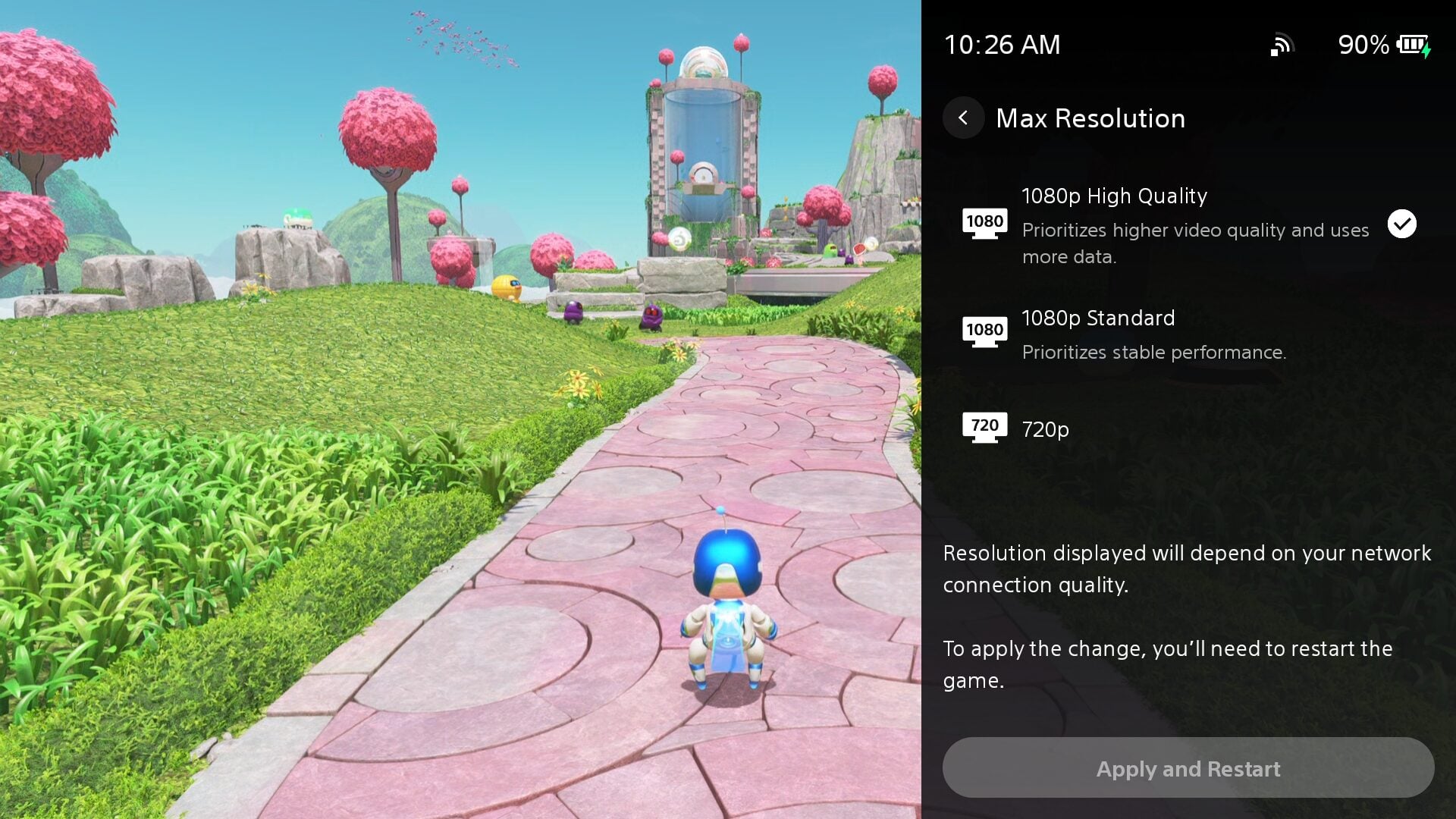
Players can now select a 1080p High Quality mode during Remote Play and Cloud Streaming. This new mode enables players to enjoy games at a higher bitrate compared to the default 1080p Standard mode, providing a smooth and high-fidelity experience.
To enable the mode, go to [Quick Menu] > [Max Resolution] and select [1080p High Quality] during Remote Play or Cloud Streaming.
You can apply the change by restarting the Remote Play / Cloud Streaming session.
Refined Cloud Streaming experience
We’ve introduced several enhancements to improve usability and reduce friction during Cloud Streaming sessions.
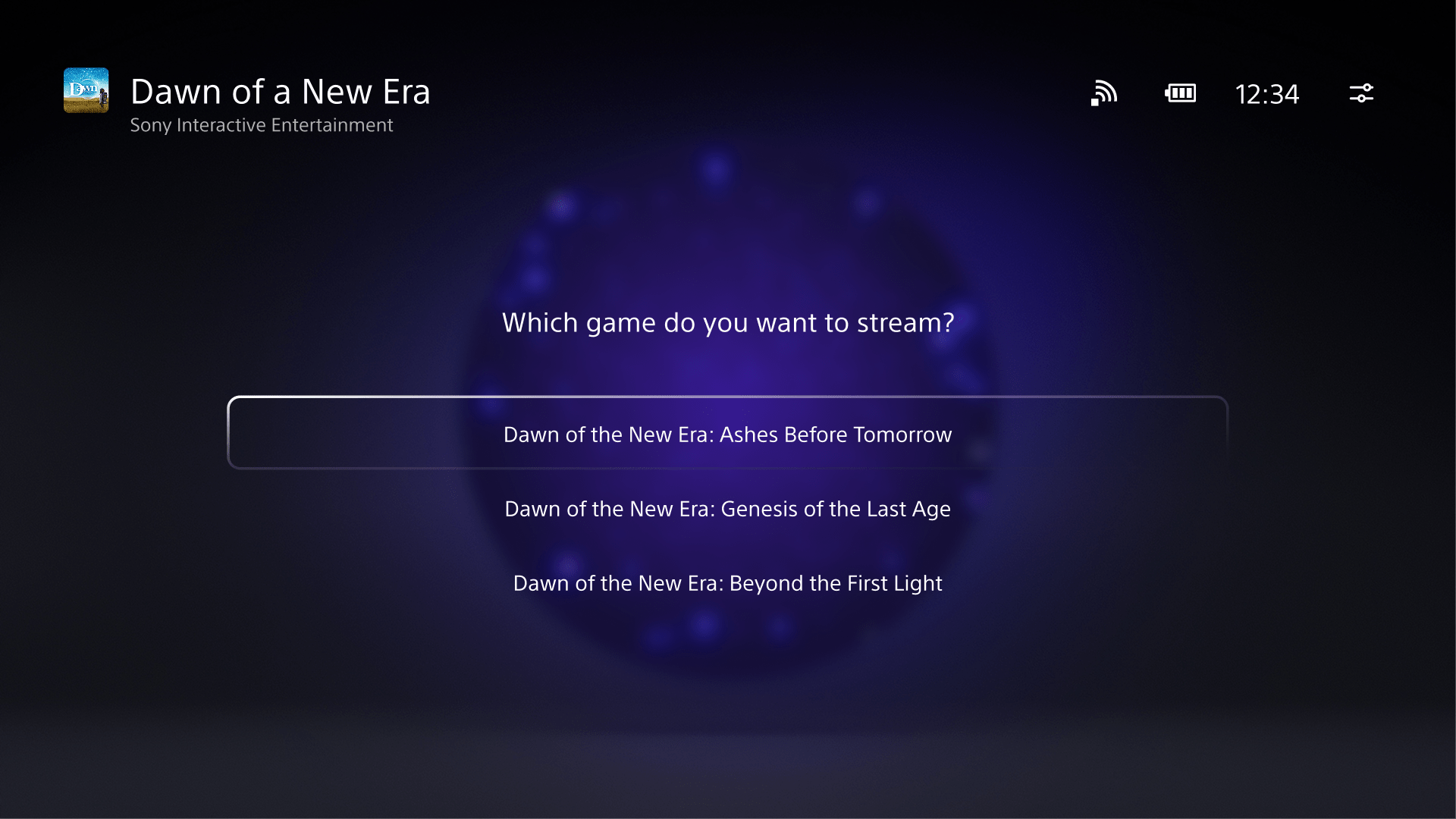
Improved Product Detail Page – When you select “Stream” on the product detail pages of game bundles, a new user interface will show up, allowing you to select a specific game to play from that bundle.
Game Invite – If you’re actively streaming a supported title and receive game invites, you’ll now see a clear on-screen notification on PlayStation Portal, ensuring you never miss an invitation while playing.
Enhanced Trophy Notifications – Trophy notifications now clearly display the trophy name and associated image when unlocked. Platinum trophies will also feature their special animation, bringing greater visibility and celebration to your achievements.
Improved Search Screen – The search interface has been refined for a smoother experience, such as the On Screen Keyboard display being available immediately when going into search.
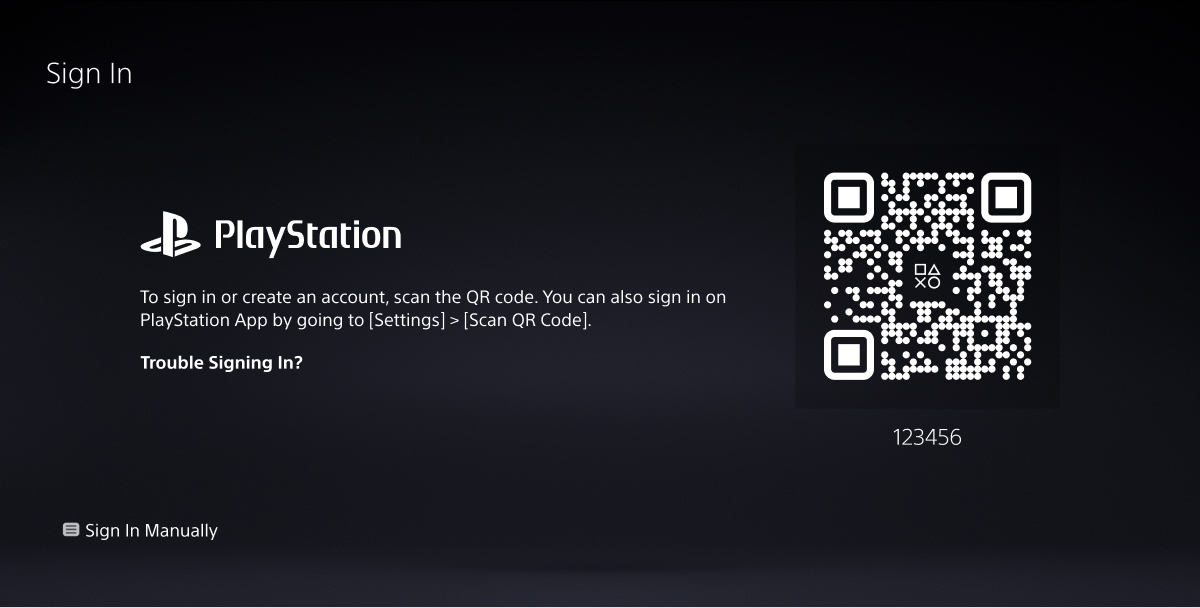
If you don’t have an account for PlayStation yet, getting started is now easier than ever. With an improved user interface and onboarding flow, you can now quickly create an account and sign in to your PlayStation Portal by scanning the QR code using your mobile device.